

Quick Facts
- A supportive office chair helps reduce back strain during long work hours.
- Ergonomic features improve posture, comfort, and daily productivity.
- Proper lumbar support is essential for maintaining spinal alignment.
- Chair adjustability matters more than appearance or price alone.
- The right chair is a long-term investment in health and performance.
What’s In This Guide
- Best Ergonomic Office Chairs for Back Pain in 2026
- Why Office Chairs Matter for Back Pain and Posture
- Key Features to Look for in the Best Office Chair for Back Pain
- How to Choose the Right Ergonomic Office Chair for Your Needs
- Ergonomic Chair vs Regular Chair: What’s the Difference?
- Common Mistakes When Buying a Lumbar Support Chair
- Additional Tips for Reducing Back Pain While Sitting
- Frequently Asked Questions
- Improve Your Workspace Comfort Today
Prolonged standing at work has been associated with several potentially serious health outcomes, including lower back and leg pain, cardiovascular concerns, fatigue, discomfort, and pregnancy-related issues.
For desk-based professionals, prolonged sitting can create similar strain when the chair fails to support proper posture. Choosing the best office chair for back pain is a practical investment in comfort, spinal alignment, productivity, and long-term workplace health, here are the key factors and top options to consider.
Best Ergonomic Office Chairs for Back Pain in 2026
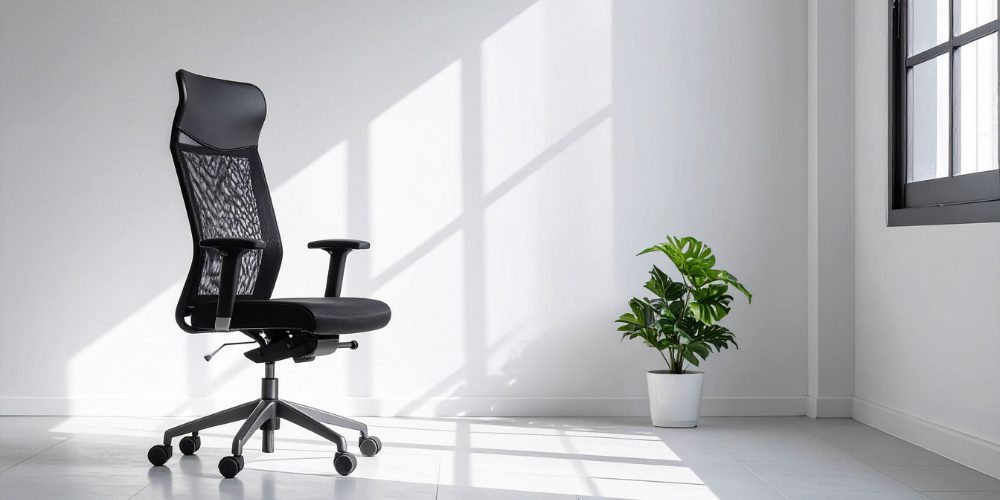
Best Overall: Herman Miller Sayl Chair ($700–$900)
The Herman Miller Sayl is a reliable ergonomic office chair designed for everyday use, offering a balance of flexibility and structured support. Its suspension back promotes movement while maintaining comfort, making it a strong option for those looking for the best office chair for back pain.
Best for Chronic Back Pain: Anthros Chair ($1,950)
The Anthros Chair focuses on improving pelvic positioning and overall alignment, which helps address the root causes of discomfort. It works well as a posture correction chair for individuals dealing with persistent or long-term back issues.
Best Premium Option: Herman Miller Embody ($1,500–$2,000)
The Herman Miller Embody provides responsive support that adapts to small body movements throughout the day. Its advanced design makes it ideal for professionals who need consistent comfort and spinal support during extended work sessions.
Best for Tall and Plus-Size Users: Steelcase Gesture ($1,300+)
The Steelcase Gesture offers a wide range of adjustments and durable construction to accommodate different body types. It functions well as a lumbar support chair for users who need flexibility, strength, and reliable comfort.
Best Mid-Range Value: Branch Ergonomic Chair Pro ($350–$500)
The Branch Ergonomic Chair Pro delivers essential ergonomic features at a more accessible price point. It is a practical ergonomic office chair for home offices or workspaces that need dependable support without a high investment.
Best Budget Option: Gabrylly Ergonomic Mesh Chair (~$170)
The Gabrylly Ergonomic Mesh Chair provides basic support with breathable materials for improved comfort during daily use. It is a good entry-level option for those seeking a simple and affordable upgrade from a standard chair.
Why Office Chairs Matter for Back Pain and Posture
Office chairs affect how your spine, hips, shoulders, and muscles respond to long hours of sitting. The best office chair for back pain helps reduce daily strain by supporting healthier posture and better weight distribution.
Increased Spinal Pressure from Poor Seating
A poorly designed chair can place extra pressure on the lower spine. Over time, this pressure may lead to stiffness, discomfort, and recurring back pain.
Lack of Lower Back Support
Without proper lower back support, the spine loses its natural curve while sitting. A lumbar support chair helps keep the lower back supported and reduces the tendency to slouch.
Poor Posture Habits
Chairs that are too low, too deep, or too rigid can force the body into awkward positions. A posture correction chair helps guide the body into a more balanced sitting position.
Muscle Fatigue from Sitting Too Long
When the body stays in one position for hours, back and core muscles work harder to maintain stability. An ergonomic office chair can reduce unnecessary muscle strain by supporting the body properly.
Reduced Comfort and Focus
Back pain makes it harder to stay focused and productive during the workday. A supportive chair improves comfort, which helps users work longer with less physical distraction.
Key Features to Look for in the Best Office Chair for Back Pain
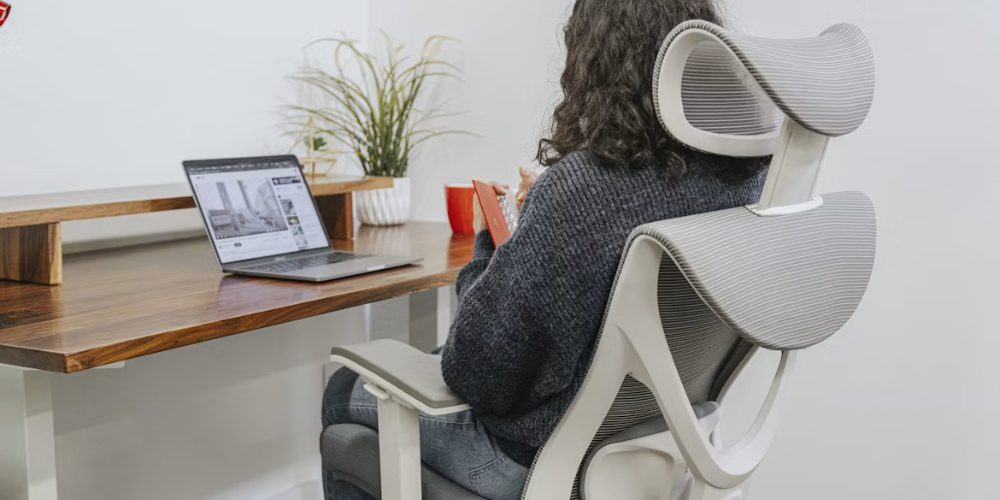
Dynamic Lumbar Support
Lumbar support is the most critical feature in any posture correction chair. Dynamic lumbar systems adjust in height and depth to match the inward curve of your lower spine. This prevents slouching and distributes weight evenly.
Seat Depth Adjustment
Seat depth determines how well your thighs are supported. A proper fit allows you to sit back fully against the backrest while keeping a small gap behind your knees. This prevents circulation issues and encourages proper posture.
Synchronous Tilt Mechanism
A good ergonomic office chair allows the seat and backrest to move together. This keeps your feet flat on the ground while reclining and reduces pressure on the spine.
4D Adjustable Armrests
Armrests that adjust in height, width, depth, and angle support the shoulders and neck. Without proper arm support, tension builds in the upper body, leading to additional strain.
Breathable Materials and Cushioning
Mesh chairs promote airflow and help regulate temperature during long work sessions. Foam cushioning provides more structured support. The right choice depends on personal preference, but both should maintain shape over time.
Weight Capacity and Adjustability
A lumbar support chair should accommodate different body types. A wider adjustment range ensures that the chair fits the user, not the other way around.
➤ YOU MIGHT ALSO LIKE: 7 Ways Office Furniture Impacts Employee Productivity and Morale
How to Choose the Right Ergonomic Office Chair for Your Needs
Step 1: Assess Your Back Pain Type
Lower back pain often requires strong lumbar support. Upper back discomfort may point to poor armrest positioning. Identifying the source of pain helps narrow your options.
Step 2: Measure Your Body Dimensions
Height, weight, and leg length all affect chair fit. Seat depth and backrest height should align with your proportions to avoid strain.
Step 3: Prioritize Adjustability
A posture correction chair should offer multiple adjustment points. Fixed chairs rarely provide long-term comfort.
Step 4: Test Lumbar Support
The lumbar support should sit naturally against your lower back. It should not feel forced or overly rigid.
Step 5: Consider Your Work Habits
If you sit for eight hours or more each day, investing in a higher-end ergonomic office chair often delivers better long-term results.
Step 6: Balance Budget and Long-Term ROI
A quality chair may seem expensive upfront, but the long-term benefits outweigh the cost.
Cost Comparison Example:
|
Factor |
Low-Cost Chair |
Ergonomic Chair |
|
Initial Cost |
$150 |
$900 |
|
Lifespan |
1–2 years |
8–10 years |
|
Medical Costs |
Higher risk |
Lower risk |
|
Productivity |
Reduced |
Improved |
The cost of poor seating often shows up in lost productivity, discomfort, and potential healthcare expenses.
Ergonomic Chair vs Regular Chair: What’s the Difference?
|
Category |
Regular Chair |
Ergonomic Chair |
|
Design Purpose |
Made for basic, short-term sitting |
Built for long work hours |
|
Adjustability |
Limited or no adjustments |
Adjustable height, arms, tilt, and seat depth |
|
Back Support |
Minimal lower back support |
Supports the natural curve of the spine |
|
Posture |
Can encourage slouching |
Helps maintain better sitting alignment |
|
Comfort |
May feel uncomfortable after long use |
Designed for lasting comfort |
|
Health Impact |
Can increase back and neck strain |
Helps reduce pressure points and muscle fatigue |
|
Productivity |
Discomfort can affect focus |
Better support can improve work performance |
|
Best For |
Occasional use |
Daily office or home workspace use |
Common Mistakes When Buying a Lumbar Support Chair
Buying a lumbar support chair should be based on fit, adjustability, and daily use, not price alone. The right choice can reduce discomfort, while the wrong one may make back pain worse.
Ignoring Adjustability
A chair that cannot be adjusted may not fit your height, leg length, or desk setup. Good adjustability helps your body stay supported throughout the workday.
Choosing Appearance Over Function
A stylish chair is not always supportive. Comfort, structure, and back support should matter more than looks.
Not Considering Body Type
A chair that works for one person may not work for another. Seat depth, backrest height, and weight capacity should match the user’s body.
Skipping Warranty and Return Policies
Even a well-reviewed chair may not feel right after several hours of use. A strong return policy gives you room to test the chair properly.
Assuming All Ergonomic Chairs Are the Same
Not every ergonomic office chair offers the same level of support. Look closely at lumbar features, tilt control, and seat adjustments before buying.
Additional Tips for Reducing Back Pain While Sitting
Even the best office chair for back pain works best when paired with healthy habits.
- Keep your feet flat on the floor
- Maintain a 90-degree angle at the knees and elbows
- Take short breaks every 30 to 60 minutes
- Adjust your monitor to eye level
- Incorporate light stretching into your routine
Frequently Asked Questions
How long should an office chair last?
A quality chair typically lasts between five to ten years depending on materials and usage. Higher-end options tend to maintain support and structure longer, making them a better long-term investment.
What is the ideal seat height for proper posture?
Seat height should allow your feet to rest flat on the floor with knees at a 90-degree angle. This position helps reduce pressure on the lower back and improves circulation.
Should I choose mesh or cushioned seating?
Mesh offers better airflow and is ideal for warmer environments or long sitting sessions. Cushioned seats provide a firmer feel and may suit users who prefer more structured support.
How do I know if a chair fits my body correctly?
A proper fit allows your back to rest fully against the backrest while maintaining a small gap behind your knees. Armrests and seat height should adjust easily to match your natural sitting position.
What features matter most for long hours of sitting?
Adjustable support, seat depth, and tilt mechanisms are key for extended use. These features help maintain alignment and reduce pressure buildup during long work sessions.
Improve Your Workspace Comfort Today
Choosing the right ergonomic office chair is a decision that impacts daily comfort, long-term health, and overall productivity. A well-designed chair reduces strain, supports posture, and helps maintain focus throughout the workday.
For businesses and professionals looking to upgrade their workspace with reliable ergonomic solutions, Stamford Office Furniture offers thoughtfully designed seating options that support both comfort and performance.
Call Stamford Office Furniture for expert ergonomic seating solutions tailored to your workspace needs.