

Quick Facts
- Desk upgrades in 2026 should support both comfort and productivity.
- Ergonomic furniture and proper lighting can improve daily work performance.
- Practical tools like cable organizers and charging docks help reduce clutter.
- A step-by-step upgrade plan helps businesses make better workspace decisions.
- Clean, organized desks create a more efficient and professional work environment.
What’s In This Guide
The way a desk is set up can affect far more than appearance. A well-planned workspace can shape how people feel during the workday, influencing comfort, stress levels, focus, and overall productivity.
When businesses pay attention to the physical work environment, they create settings that help employees stay more comfortable, feel more at ease, and work more effectively throughout the day.
In 2026, upgrading a desk is not just about adding new furniture or technology. It is about creating a workspace that better supports how people work every day.
Here are the key desk upgrades to consider during an office refresh to improve productivity and comfort.
7 Essential Desk Upgrades for Productivity and Comfort in 2026
1. Use a Height-Adjustable Standing Desk
A height-adjustable standing desk is one of the most practical desk upgrades for 2026 because it helps employees change positions throughout the day instead of remaining seated for hours. That added movement supports comfort, focus, and long-term workstation health.
- Improved posture: A standing desk makes it easier to align the screen, keyboard, and work surface to a healthier position, which helps reduce slouching and forward head posture during long work sessions.
- Reduced physical strain: Alternating between sitting and standing can ease pressure on the lower back and hips, which is especially helpful for employees who spend most of the day at their desks.
- Better daily energy: Changing positions throughout the day helps reduce stiffness and fatigue, which can make employees feel more alert and productive during long stretches of work.
2. Upgrade to an Ergonomic Chair
An ergonomic chair remains a core part of any productive desk setup because even the best desk will not solve comfort issues if seating does not properly support the body. A good chair helps employees maintain a more stable and comfortable posture throughout the workday.
- Better back support: Built-in lumbar support helps maintain the natural curve of the spine, which can reduce lower back discomfort caused by poor sitting habits.
- More personalized comfort: Adjustable height, armrests, and tilt settings allow the chair to fit different body types and work styles rather than forcing every employee into the same position.
- Lower risk of strain: Proper support for the back, shoulders, and hips can reduce the muscle tension and joint discomfort that often builds up during long periods of sitting.
3. Add an Ultrawide Monitor
An ultrawide monitor can improve workflow by giving employees more usable screen space in a single display. This helps simplify multitasking and reduces the constant switching between tabs, windows, and applications.
- Smoother multitasking: Employees can keep documents, spreadsheets, email, and communication tools open side by side, which makes it easier to compare information and work more efficiently.
- Less screen switching: A wider display reduces the need to constantly minimize and reopen programs, which can save time and help maintain focus during detailed tasks.
- Cleaner desk setup: One large monitor can often replace a dual-screen arrangement, which reduces equipment clutter and creates a more streamlined workstation.
4. Use a 3-in-1 Charging Dock
A 3-in-1 charging dock is a useful upgrade for desks that need to support multiple devices without adding more cable clutter. It keeps essential devices powered while making the workspace look cleaner and more organized.
- Fewer loose cables: Charging several devices from one dock reduces the number of separate cords and adapters spread across the desk, which helps keep the setup tidy.
- Easier device management: Phones, earbuds, and other daily-use devices stay in one designated place, so employees spend less time looking for chargers or clearing space.
- More efficient use of space: A compact dock frees up room on the desk surface and supports a more functional layout, especially in smaller workstations.
5. Install Cable Management Tools
Cable management tools are a small upgrade that can make a major difference in how a desk looks and functions. Even a well-designed workstation can feel messy and distracting when cords are left exposed or tangled.
- Cleaner visual layout: Trays, clips, and sleeves keep cables out of sight, which reduces visual clutter and supports a more organized, professional-looking workspace.
- Easier maintenance: When cables are grouped and routed properly, it becomes much easier to clean the desk area or make changes to equipment without dealing with a tangled mess.
- Reduced wear and safety issues: Organized cables are less likely to get pulled, bent, or damaged over time, and they also lower the chance of cords becoming a nuisance under or around the desk.
6. Improve Lighting with Adjustable LED Lamps
Lighting plays a direct role in how comfortable and productive a desk feels throughout the day. Adjustable LED lamps are especially useful because they allow employees to control brightness based on task type, screen use, and surrounding light conditions.
- Reduced eye strain: Proper task lighting helps control glare, harsh contrast, and low-visibility conditions that can make screen-heavy work more tiring on the eyes. This matters because eye-related workplace issues remain common, with thousands of job-related eye injuries reported each year in the U.S., ranging from routine strain to more serious damage that can lead to missed work time.
- Better focus for detail work: Adjustable lighting makes it easier to read documents, review materials, or complete focused tasks without relying only on overhead office lighting.
- More comfortable work environment: Being able to change brightness or color temperature can help create a desk setup that feels less harsh and better suited to long hours of use.
7. Keep Your Workspace Minimal and Organized
A minimal and organized desk supports productivity by removing unnecessary distractions and making the work area easier to use. In 2026, this approach remains important because businesses are focusing on workspaces that feel clean, intentional, and efficient.
- Fewer distractions during work: Limiting the number of nonessential items on the desk helps employees focus on the task in front of them instead of dealing with visual or physical clutter.
- Faster access to essentials: When only frequently used tools are kept within reach, employees can move through daily tasks more efficiently without wasting time searching for items.
- More professional appearance: A clean and consistent desk setup improves the overall look of the workspace, which can reinforce a more polished and well-managed office environment.
➤ MORE ON THIS TOPIC: The Best Office Furniture and Supplies for Your Home Office in 2026
How to Upgrade Your Desk: Step-by-Step Guide for Businesses
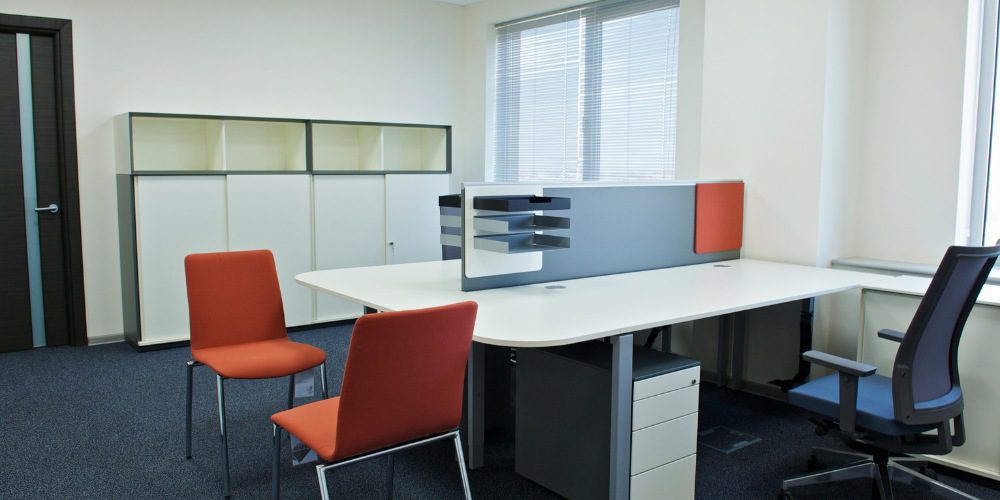
Upgrading desks requires a structured approach to ensure each change improves both functionality and employee comfort. A step-by-step process helps businesses make practical decisions and avoid unnecessary upgrades.
Step 1: Assess Current Workstations
Start by identifying common issues. Look for discomfort complaints, cluttered surfaces, outdated equipment, and poor lighting conditions.
Step 2: Prioritize Ergonomics First
Invest in adjustable desks and supportive chairs before adding accessories. These foundational elements have the greatest impact on health and productivity.
Step 3: Upgrade Technology Strategically
Introduce ultrawide monitors, charging docks, and audio tools where they provide clear benefits. Avoid adding unnecessary devices that increase complexity.
Step 4: Implement Organization Systems
Standardize cable management and storage solutions across all desks. Consistency improves usability and simplifies maintenance.
Step 5: Enhance Lighting and Environment
Evaluate existing lighting and supplement with adjustable LED solutions where needed. Ensure that workspaces are evenly lit without glare.
Step 6: Incorporate Wellness Features
Encourage movement by providing optional fitness tools and promoting regular breaks.
Step 7: Standardize Across Teams
Create a consistent desk setup across departments. This improves efficiency, simplifies onboarding, and maintains a professional appearance.
See Modern Workspace Upgrade Options
Common Mistakes to Avoid When Upgrading Office Desks
Desk upgrades can improve comfort and efficiency, but only when each change supports how employees actually work. Many businesses make avoidable decisions during an office refresh that create new problems instead of solving existing ones.
Upgrading Without Understanding Daily Workflows
A desk setup should reflect how employees actually work, not just what looks current or popular. When businesses skip workflow evaluation, they may invest in features that add little value or fail to solve everyday problems.
Treating Every Workstation the Same
Different roles often require different tools, layouts, and levels of desk support. Applying one identical setup across all employees can create inefficiencies when teams have different tasks, equipment needs, or work habits.
Ignoring How New Pieces Fit Into the Existing Space
New desks, chairs, and accessories should work well within the available office layout instead of creating crowding or awkward movement paths. Poor space planning can make the office feel less functional, even when individual upgrades are high-quality.
Choosing Short-Term Fixes Instead of Lasting Solutions
Low-cost or temporary upgrades may seem practical at first, but they often wear out faster or fail to meet long-term needs. Businesses usually get better value from furniture and desk solutions that can adapt over time and support continued use.
Leaving Employees Out of the Process
Employees are the people using these workstations every day, so their feedback can reveal problems that are easy to miss during planning. When businesses do not gather input, they risk creating setups that look improved on paper but feel impractical in daily use.
Frequently Asked Questions
How often should businesses upgrade desk setups?
Most businesses should evaluate desk setups every three to five years, depending on usage and employee needs. Technology and ergonomic standards continue to evolve, which can make older setups less efficient over time, especially when compared with newer solutions available through an office furniture store in Stamford. Regular assessments help identify issues before they impact productivity or comfort.
Are desk upgrades necessary for small businesses?
Desk upgrades can benefit businesses of any size, including small teams. Even simple changes like better chairs or improved lighting can make a noticeable difference in daily work. Smaller offices often benefit from space-saving and multi-functional setups.
How can businesses maintain upgraded desk setups?
Regular maintenance is key to keeping upgraded desks functional and organized. This includes checking equipment, managing cables, and keeping surfaces clean. Encouraging employees to follow simple organizational practices also helps maintain consistency.
How can businesses balance cost and quality when upgrading desks?
Businesses should focus on long-term value rather than choosing the lowest upfront cost when sourcing from an office furniture store in Stamford. Durable, adjustable furniture often provides better performance over time and reduces the need for frequent replacements. It is helpful to prioritize essential upgrades first before adding extras.
What are the signs that a desk setup needs upgrading?
Common signs include employee discomfort, cluttered workspaces, and outdated equipment. Frequent complaints about back pain or fatigue may indicate poor ergonomics. Slow or inefficient workflows can also point to limitations in the current setup.
Upgrade Your Workspace in Stamford, CT, for Better Performance Today
Upgrading your desk in 2026 is not about adding more. It is about creating a workspace that is efficient, comfortable, and adaptable. By focusing on ergonomics, smart technology, and minimalist organization, businesses can build environments that support both productivity and employee well-being.
A thoughtful office refresh can transform how teams work, collaborate, and perform every day. For businesses in Stamford, CT, looking to implement these upgrades effectively, experienced providers like Stamford Office Furniture can help ensure that every detail, from layout to ergonomics, is aligned with modern workplace standards.
Contact Stamford Office Furniture to get started.