
A conference room should do two things well: help people think clearly and help people work together. If your space makes it hard to see the screen, hear each other, plug in devices, or rearrange seating, productivity suffers. When hybrid meetings, quick team huddles, and client presentations all happen in the same room, furniture has to support flexibility, technology, and comfort without distractions.
✔ Table shape directly affects collaboration and communication
✔ Ergonomic seating improves focus during long meetings
✔ Built-in power and cable management eliminate distractions
✔ Proper layout enhances movement and engagement
✔ Durable materials protect long-term investment
The right conference room furniture is not about filling a space. It’s about creating an environment where ideas move efficiently and decisions happen faster. Below are practical, effective furniture ideas that encourage both collaboration and focus—designed for businesses that want performance, not just appearance.
The table defines how people interact. Shape, size, and configuration directly influence communication and engagement.
Boat-shaped tables are slightly curved along the sides, allowing better sightlines toward screens and presenters. This design:
For medium to large conference rooms, this shape balances authority and inclusivity.
Rectangular tables create structure. They’re ideal for:
If your company hosts formal decision-making sessions, a clean-lined rectangular table reinforces clarity and professionalism.
Round tables eliminate hierarchy and encourage equal participation. Racetrack tables offer similar inclusiveness but accommodate more people.
These are excellent for:
If collaboration is the priority, avoid layouts that position one person at a dominant “head of the table.”
Modern workplaces require flexibility. Modular conference tables can be separated and rearranged into:
Expandable tables allow you to scale for different group sizes without investing in multiple rooms.
If chairs are uncomfortable, attention drops quickly. Long meetings demand proper support.
Look for:
Comfort directly impacts engagement. When participants aren’t distracted by discomfort, they stay focused longer.
In multipurpose conference rooms, task chairs with wheels and swivel bases allow easy movement and reconfiguration. This supports quick transitions between presentations and breakout discussions.
For smaller meeting rooms or quick stand-up sessions, streamlined guest seating keeps the environment professional without overbuilding the space.
Technology should feel invisible. Visible cords, crowded power strips, and poorly placed screens distract from collaboration.
Choose conference tables with:
When everyone can plug in easily, meetings start on time and flow without interruption.
A well-designed media credenza:
This keeps the room organized and professional while maintaining easy tech access.
Mount displays at eye level and ensure they’re visible from all seats. Poor visibility leads to disengagement and constant repositioning. Furniture layout and technology placement must work together—not compete for space.
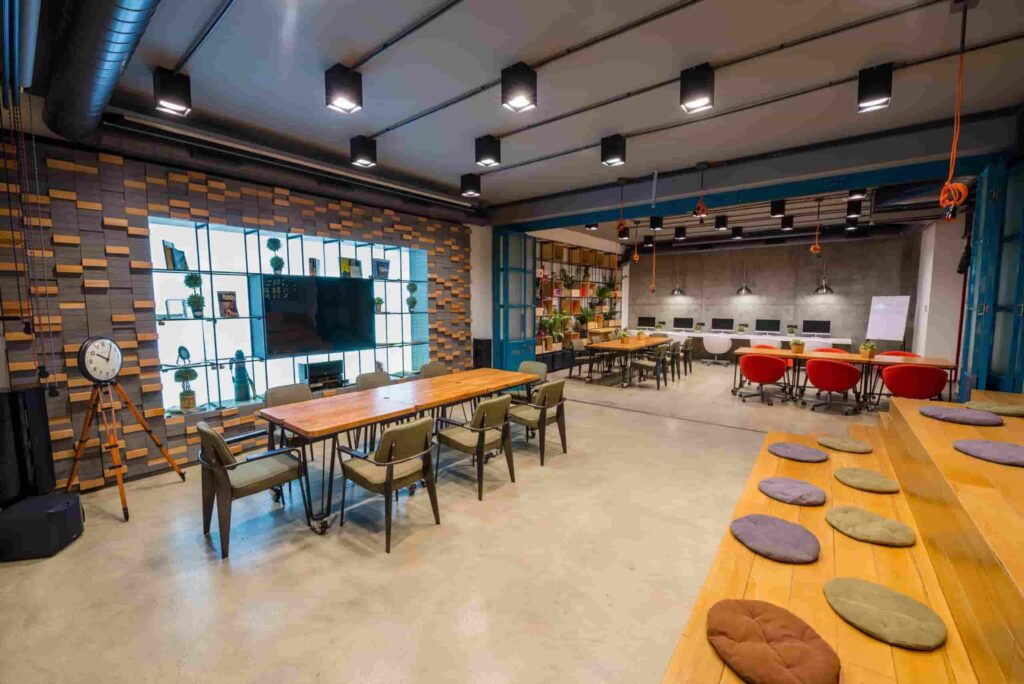
Furniture placement matters as much as the furniture itself.
Cluttered rooms discourage movement and conversation. Ensure:
Flow improves energy and keeps meetings efficient.
Consider adding:
These tools encourage spontaneous idea sharing without requiring a separate brainstorming room.
In larger conference spaces, adding a small lounge area with soft seating creates options for:
This flexibility makes the room more dynamic and useful throughout the day.
Collaboration is important—but so is concentration. Your conference room should reduce distractions.
Furniture plays a role in sound control:
Clear audio improves remote participation and keeps in-person discussions focused.
Avoid overcrowding. A table that’s too large makes the room feel tight and distracting. Too small, and it feels underpowered. Measure carefully and allow adequate spacing for chairs and movement.
Too many decorative elements create visual noise. Choose clean lines and neutral finishes that promote clarity. A well-designed conference room should feel calm and purposeful.
Conference rooms see heavy use. Furniture must withstand frequent meetings while maintaining its appearance.
High-pressure laminate surfaces:
Ideal for high-traffic conference rooms.
Wood veneer adds warmth and authority. It works well in executive boardrooms where aesthetics matter as much as function.
Modern offices often incorporate:
These elements create a contemporary look without sacrificing functionality
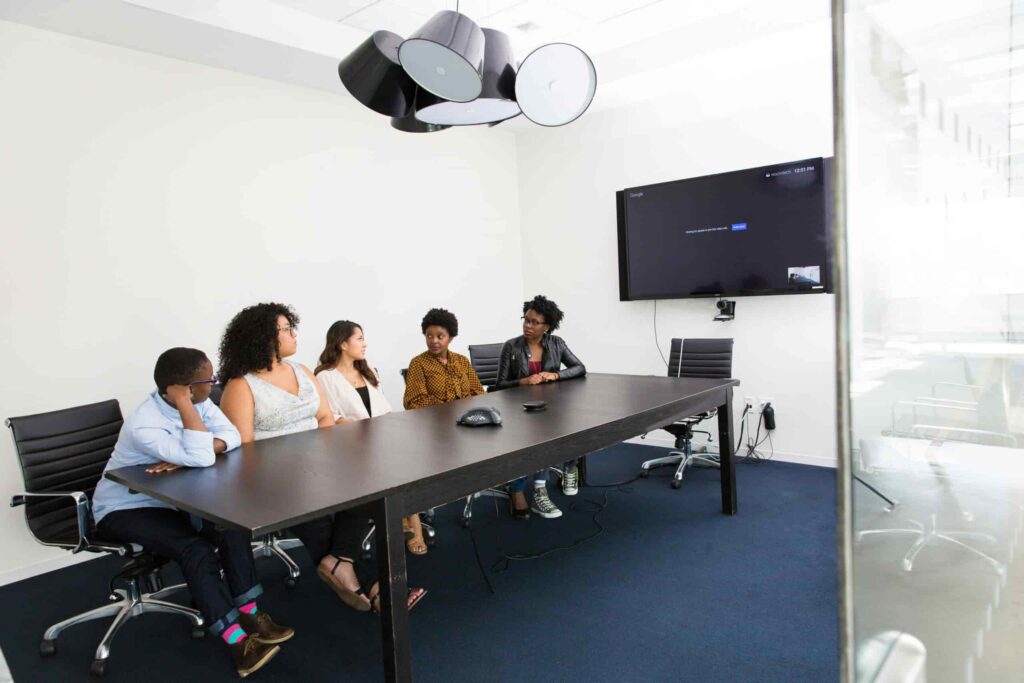
Most conference rooms now serve in-person and remote participants simultaneously.
Ensure:
Furniture placement affects how your company appears to remote clients and team members.
Integrated tables with built-in tech allow microphones to capture voices evenly across the room.
Large decorative elements, tall plants, or oversized monitors can block sightlines. Keep layouts clean and practical.
Clutter undermines focus.
Use credenzas to store:
Keep surfaces clear so attention stays on the discussion.
Closed storage reduces visual distractions and keeps the room looking organized.
Furniture should reflect how your team actually works.
If brainstorming dominates your workflow:
Encourage movement and interaction.
If formal meetings are common:
Reinforce professionalism and authority.
If your company is expanding:
Future-proofing saves money and disruption later.
While lighting isn’t furniture, it interacts closely with it.
Choose finishes and furniture styles that complement your lighting design.
Collaboration doesn’t only happen in one space.
Outfit smaller rooms with compact round tables and comfortable chairs for focused discussions.
Use standing-height tables and stools for quick meetings. These encourage shorter, more efficient discussions.
Modular tables and stackable chairs allow quick reconfiguration for presentations or workshops.
A cohesive furniture strategy across all meeting spaces creates consistency and improves workflow.
Even well-intentioned upgrades can fall short if the room isn’t functional day-to-day. These are the issues that most often hurt meeting flow, comfort, and productivity:
Trendy chairs that lack lumbar support or adjustability lead to fidgeting, fatigue, and shorter attention spans, especially in longer meetings.
Exposed cords and power strips create clutter, trip hazards, and constant setup delays. Built-in power, grommets, and concealed routing keep the room clean and meeting-ready.
A table that’s too large restricts movement, makes seating tight, and blocks access to screens or whiteboards. Plan for at least 3 feet of clearance around the table.
Extra chairs make the room feel cramped and disorganized. Stock the room for typical attendance, not “just in case,” and keep spare chairs stored elsewhere.
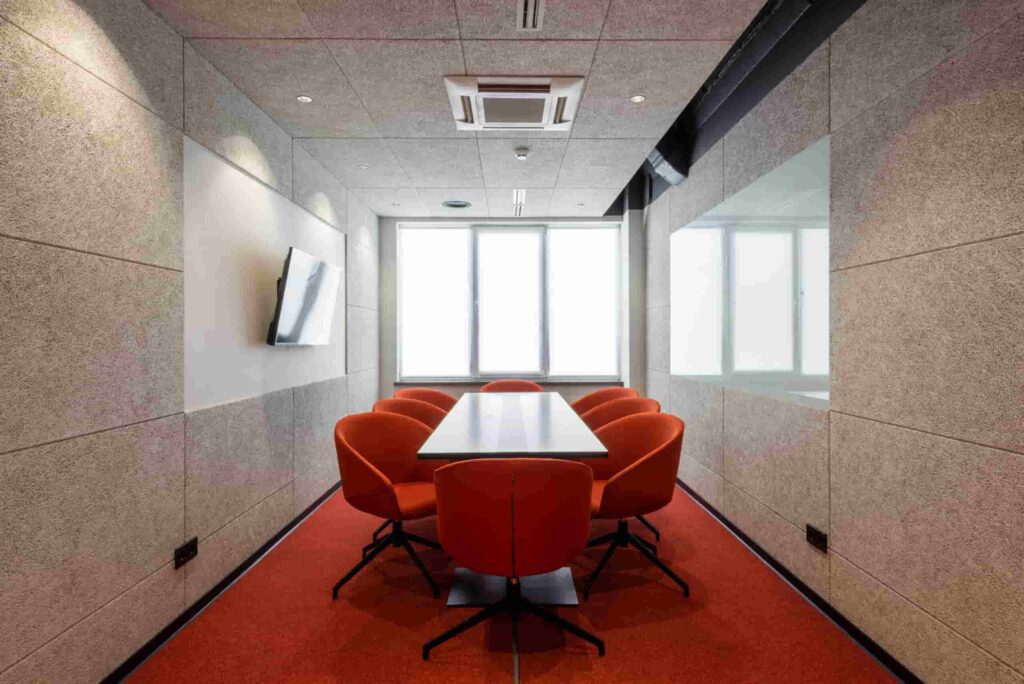
Echo and background noise make it harder to focus—and harder for remote attendees to hear. Upholstered seating, rugs, and acoustic panels reduce reverberation and improve clarity.
If cameras, microphones, and screens aren’t considered during the furniture/layout stage, remote participants end up as an afterthought. Prioritize clear sightlines, even lighting, and easy device access so hybrid meetings run smoothly.
Conference room furniture is an investment. Before purchasing, consider:
Short-term savings often lead to long-term frustration if furniture doesn’t support real needs.
Round and racetrack tables are best for collaboration because they eliminate hierarchy and allow equal participation. Modular tables are also effective since they can be rearranged into smaller groups for workshops or brainstorming sessions.
To improve productivity:
A functional layout reduces distractions and keeps meetings efficient.
The right size depends on room dimensions and typical meeting attendance. As a rule:
This prevents overcrowding and maintains comfort.
Conference room furniture should:
Clean cable management and proper layout are critical for smooth hybrid collaboration.
The best material depends on usage:
High-traffic rooms typically benefit from durable laminate surfaces.
Conference rooms should eliminate friction. When tables fit the space, chairs support posture, technology integrates cleanly, and layouts encourage interaction, meetings become productive rather than draining.
Collaboration and focus are not opposites. The right furniture design allows both to exist in the same room—structure when needed, flexibility when required. If your conference space no longer supports how your team works, it’s time to reassess.
A well-designed conference room improves decision-making, client impressions, and team performance. If your conference room isn’t supporting how your team works, it’s time to upgrade.
Thoughtful furniture selection is the foundation.
Businesses in and around Danbury, CT, benefit from working with experienced professionals who design spaces that are functional, durable, and aligned with real workflows. Stamford Office Furniture provides tailored solutions that help companies create conference rooms built for real productivity—not just appearance.