

Quick Facts
- Use multi-functional furniture to reduce clutter and eliminate unnecessary pieces.
- Maximize vertical storage to free up floor space.
- Choose modular and foldable options for flexibility.
- Select compact, ergonomic designs to save space without sacrificing comfort.
- Improve layout, zoning, and cable management to enhance flow and organization.
What’s In This Guide
- 7 Ways to Maximize Office Space With Smart Furniture
- Step-by-Step: How to Evaluate Your Current Office for Space Optimization
- Why Office Space Optimization Matters for Businesses
- Frequently Asked Questions
- Upgrade Your Office With Space-Saving Solutions
Office space is a major overhead cost, yet many workplaces still waste valuable square footage due to inefficient layouts and oversized furniture. With hybrid schedules, flexible teams, and rising lease rates, businesses need to get more function from the space they already have.
So how do you maximize office space without renovating or relocating?
Choose smart furniture that does more in less space. Multi-functional, modular, vertical, and compact pieces help increase usable workspace, reduce clutter, and improve day-to-day flow.
Here are seven proven ways to maximize office space with smart furniture choices.
7 Ways to Maximize Office Space With Smart Furniture
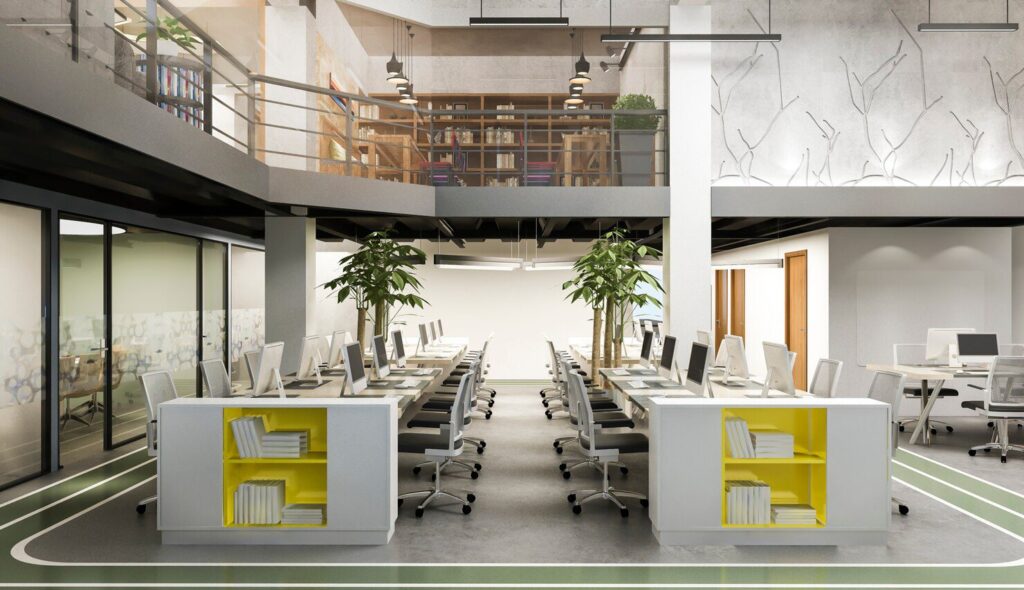
1. Use Smart Multi-Functional Furniture to Eliminate Redundancy
Smart office furniture should do more than one job. By combining seating, storage, and workspace into a single piece, you reduce the number of items occupying valuable square footage.
- Storage ottomans: Smart dual-purpose seating that keeps overflow supplies, brochures, or small equipment hidden while maintaining a clean reception area.
- Benches with built-in compartments: Flexible seating solutions that double as enclosed storage for shared materials, reducing the need for extra cabinets.
- Desks with integrated drawers and shelving: Workstations designed with built-in organization so you can eliminate separate filing units.
- Conference tables with concealed storage: Smart meeting furniture that stores remotes, cables, and materials directly inside the table base.
2. Maximize Vertical Space With Smart Storage Solutions
Smart furniture design does not stop at floor level. Vertical storage systems increase capacity without expanding your footprint.
- Wall-mounted shelves: Smart use of wall space to store binders, supplies, and reference materials without crowding walkways.
- Tall bookcases: High-capacity storage that leverages ceiling height instead of adding multiple low cabinets.
- Pegboards: Organized, visible storage that keeps tools and accessories off desks and out of drawers.
- Mounted filing systems: Wall-based file storage that replaces bulky lateral cabinets in tight offices.
- Floating cabinets: Enclosed vertical storage that keeps items out of sight while preserving open floor space beneath.
3. Choose Smart Modular and Foldable Furniture for Flexibility
Smart furniture adapts as your office needs change. Modular and foldable designs allow one room to serve multiple functions without permanent space commitments.
- Fold-down desks: Compact workstations that appear when needed and disappear when space must be reallocated.
- Nesting tables: Scalable table systems that expand for larger meetings or tuck away to free up floor area.
- Stackable chairs: Extra seating that can be stored efficiently instead of permanently occupying square footage.
- Modular workstations: Reconfigurable desk systems that adjust to team growth without replacing the entire layout.
4. Select Smart Compact and Ergonomic Office Furniture
Smart office furniture balances space efficiency with employee comfort. Compact design should reduce footprint without sacrificing posture support, mobility, or daily functionality.
- Slim filing cabinets: Designed with a narrower width or reduced depth, these cabinets store essential documents while fitting neatly beside desks or against walls without tightening walkways or crowding work zones.
- Narrow-profile storage units: Streamlined cabinets and credenzas provide shared storage for supplies and equipment while maintaining a lighter visual presence, preventing the room from feeling boxed in.
- Corner desks: Built to fit into 90-degree angles, these desks convert unused corners into productive workstations, increasing usable surface area without extending into central circulation paths.
- Compact ergonomic chairs: Engineered with supportive lumbar structure and adjustable features in a smaller base design, these chairs maintain comfort while allowing tighter workstation layouts without overlap.
5. Integrate Smart Cable Management Into Furniture
Exposed cables add visual clutter and can create tripping hazards, which makes a workspace feel tighter and less orderly. Research on workplace aesthetics has also found that when employees perceive their environment as more visually appealing, they are more likely to want to spend time there and report higher satisfaction, which is another reason to keep wiring organized and out of sight.
- Desk grommets: Integrated openings in the desktop allow monitor and device cables to pass through cleanly, preventing cord sprawl across work surfaces.
- Integrated cable trays: Mounted beneath desks, these systems hold power strips and excess cord length off the floor, reducing tangling and simplifying maintenance access.
- Concealed power modules: Built into desks or credenzas, these hidden outlets eliminate the need for external power strips and reduce visible plug buildup behind furniture.
- Conference tables with integrated power: Centralized access points built into the tabletop allow multiple users to connect devices without running extension cords across the room.
6. Arrange Smart Furniture for Efficient Flow
Smart furniture only maximizes office space when placed intentionally. Layout determines how easily employees move, collaborate, and focus.
- Desks positioned near windows: Placing workstations along natural light sources reduces dependence on large floor lamps and makes the room feel more open and energized.
- Clear 36-inch walkways: Maintaining consistent clearance between desks and storage ensures smooth traffic flow, reduces bottlenecks, and supports accessibility standards.
- Perimeter storage placement: Concentrating cabinets and shelving along walls keeps the center of the office open for movement and flexible workspace use.
- Unobstructed entrances and sight lines: Avoiding tall furniture near doors and primary pathways preserves visual depth, making the office appear larger and less confined.
7. Create Smart Zones Using Strategic Furniture Placement
Smart office layouts separate functions without permanent construction. Defined zones improve organization and prevent different activities from competing for the same space.
- Area rugs to anchor zones: Visually define collaborative or lounge areas within open layouts, creating boundaries without adding walls or bulky partitions.
- Layered lighting: Uses focused task lighting for desks and softer lighting for meeting or lounge areas to signal how each space should be used.
- Low-profile dividers: Provide privacy and separation while maintaining airflow and natural light, preventing the space from feeling closed off.
- Intentional furniture grouping: Clusters desks, tables, and seating based on function so the layout supports workflow rather than creating scattered, inefficient arrangements.
Step-by-Step: How to Evaluate Your Current Office for Space Optimization
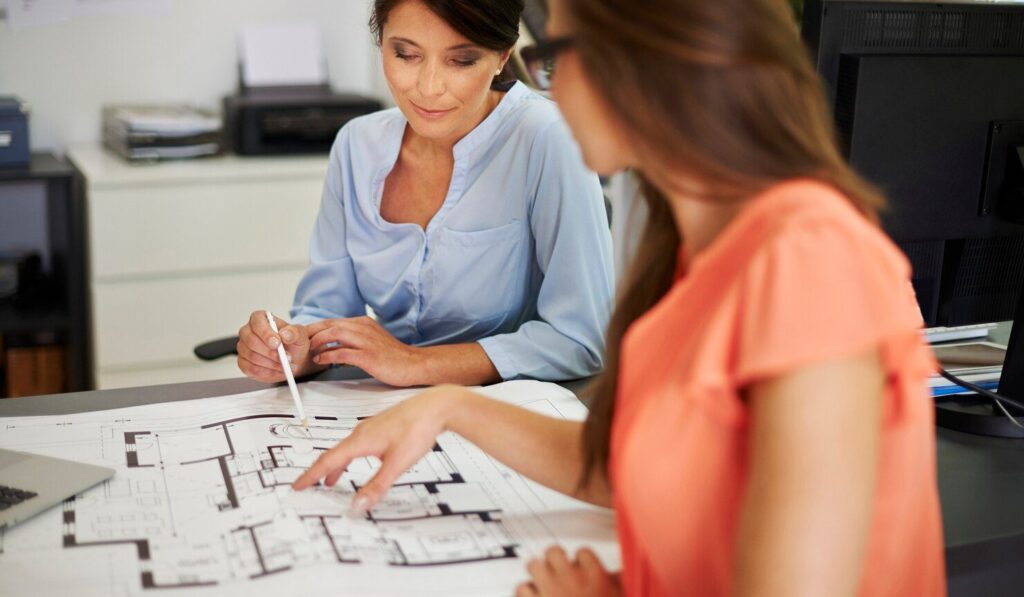
Maximizing office space starts with understanding how your current layout performs day to day. This quick evaluation helps you spot what is taking up space unnecessarily and what changes will deliver the biggest improvement.
Step 1: Measure Your Floor Plan
Measure your usable square footage and note wall height so you can plan for both floor and vertical storage. Pay special attention to corners, narrow wall sections, and any areas that sit empty or collect clutter.
Step 2: Audit Existing Furniture
Make a list of every furniture piece and what it is used for, then flag items that feel oversized for the room. Look for duplicates and single-purpose pieces that could be replaced with furniture that includes built-in storage or flexible functions.
Step 3: Identify Workflow Bottlenecks
Observe how people move through the office during peak times, especially near shared equipment, printers, and meeting areas. If employees are squeezing past chairs, storage, or each other, your layout likely needs clearer walkways and better placement.
Step 4: Prioritize Multi-Use Replacements
Start with the items that consume the most space while offering the least function, such as bulky filing cabinets or oversized desks. Replace them with compact, multi-functional alternatives like desks with integrated storage or modular units that combine shelving and filing.
Step 5: Reconfigure Before Buying
Test a few layout changes using your existing furniture before you invest in replacements. This helps you confirm what should be removed, resized, or upgraded, and prevents spending money on solutions you do not actually need.
Step 6: Plan for Growth
Choose modular furniture and flexible storage systems that can expand or be reconfigured as teams and workflows change. Planning prevents repeated redesigns and keeps your office functional as your business grows.
Why Office Space Optimization Matters for Businesses
Office space optimization is a strategic business decision, not just a design preference. The way your workspace is furnished and arranged directly influences performance, operational costs, and client perception.
Improved Productivity and Workflow
Efficient office layouts help employees move easily, reach storage fast, and stay focused with fewer distractions. A well-designed workspace also supports a less stressful, more productive atmosphere, which is why employers should treat the physical work environment as a core part of how their teams perform day to day.
Lower Long-Term Operating Costs
When businesses maximize their existing square footage with smart furniture and layout decisions, they can accommodate growth without immediately expanding or relocating. Better space utilization delays major real estate expenses and improves return on investment per square foot.
Stronger Professional Image
A well-organized office signals structure, attention to detail, and operational competence. Clients and partners are more likely to trust businesses that present a clean, functional, and intentionally designed workspace.
Frequently Asked Questions
How do I know if my office layout is wasting space?
If employees regularly squeeze past furniture, detour around storage, or shift chairs to create room, your layout is likely inefficient. Blocked sight lines, crowded walkways, and dead corners that collect clutter are common signs. A quick check during busy hours will reveal bottlenecks.
What is the best way to reduce clutter in an office?
Start by removing items that are rarely used and assigning a clear home for essentials. Use closed storage for supplies that do not need to be visible, and keep desktops limited to daily-use items. Consolidating storage zones prevents random piles from forming across the office. Digital filing also helps reduce paper volume over time.
Should I prioritize storage or workspace when space is limited?
Prioritize furniture that combines both, so you do not have to choose. Workstations with built-in drawers, shelving, or under-desk storage preserve surface area while reducing the need for separate cabinets. This approach keeps the office functional without adding more pieces. The goal is to maintain workflow while controlling footprint.
How often should office furniture be reevaluated?
Reevaluate furniture whenever team size, workflows, or technology needs change. Even without major shifts, an annual review helps catch gradual clutter buildup and layout inefficiencies. Offices often evolve operationally while the setup stays the same. Regular check-ins keep the space aligned with how people actually work.
Is it better to use open shelving or closed storage?
Closed storage reduces visual clutter and keeps spaces looking cleaner, which can make the office feel larger. Open shelving works best for items that need quick access and benefit from visibility. Many offices do best with both, using open storage for daily-use supplies and closed storage for everything else. The key is preventing open shelves from becoming clutter magnets.
Upgrade Your Office With Space-Saving Solutions
Maximizing office space starts with furniture choices that reduce clutter and improve day-to-day flow. Multi-purpose pieces, vertical storage, modular options, compact ergonomic designs, and cable management features help you make better use of every square foot.
Stamford Office Furniture provides space planning, design, project management, and delivery and installation services to support your workspace from concept to completion.
Work with our team to create a more efficient, professional office tailored to your needs.