How to Choose the Best Height-Adjustable Desk for Your Remote Office
Remote work has reshaped how people think about productivity, comfort, and daily routines. With more professionals setting up dedicated spaces at home, the need for ergonomic and functional work-from-home furniture has never been greater. A height-adjustable desk not only supports better posture but also encourages movement, focus, and long-term wellness throughout the workday.
Here are six key things to consider when choosing the best work-from-home desk for a productive and well-designed work-from-home office.
Table of Contents
Key Takeaways
✔ A height-adjustable desk supports better posture and movement during long workdays.
✔ Stability and weight capacity are essential for multi-monitor or equipment-heavy setups.
✔ Desk surface material and size should match both function and room layout.
✔ Electric, manual, or pneumatic adjustment types offer different benefits for remote work.
✔ Built-in cable management helps maintain a clean and organized work-from-home desk.
✔ Design and finish should complement existing work-from-home furniture for a cohesive space.
✔ An ergonomic setup includes proper monitor height, keyboard placement, and lighting.
✔ Investing in professional guidance ensures a safe, efficient, and personalized work-from-home office.
6 Things to Look for in the Best Height-Adjustable Work From Home Desk
1. Height Range and Adjustability
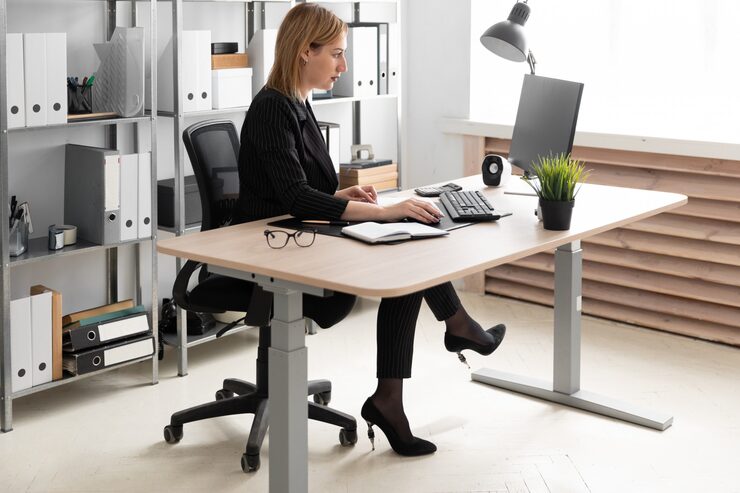
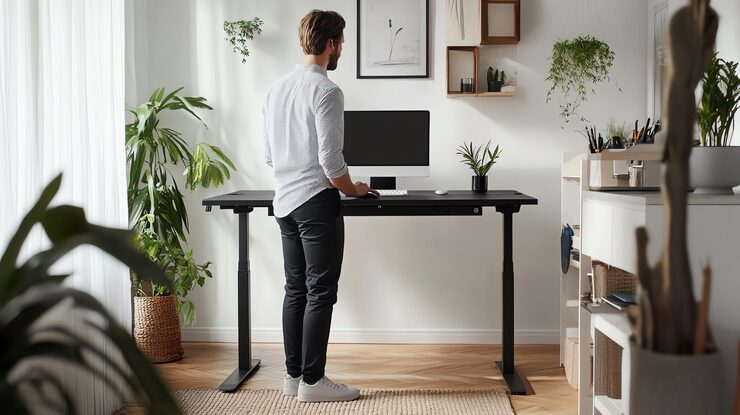
A good height-adjustable desk should support both sitting and standing with ease. The right range ensures comfort for people of different heights, even when using ergonomic chairs or accessories—making it one of the most important features when choosing the best work-from-home desk for everyday use.
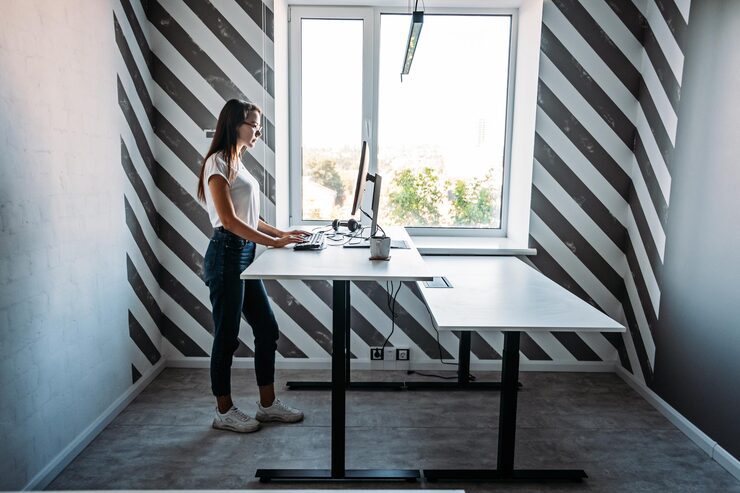
To enhance both comfort and focus, consider setting up your desk near a window or under a skylight. Natural light not only complements an ergonomic setup but also boosts mood and productivity throughout the day.
How Height Adjustability Impacts Comfort and Productivity
Supports Proper Ergonomics: A desk with a wide adjustment range (typically 22″ to 48″) helps maintain healthy posture whether standing or sitting. This reduces back, neck, and wrist strain, making long work-from-home office hours more manageable.
Adapts to Different Users and Tasks: Whether switching between typing, reading, or video calls, the desk should easily adapt to different working positions. Multiple people sharing the same workspace—common in shared home offices—can benefit from personalized height settings.
Pairs Well with Ergonomic Accessories: A fully adjustable desk works best with accessories like monitor arms and keyboard trays. These pairings create a complete work-from-home desk setup that supports long-term focus and comfort.
2. Weight Capacity and Stability
A height-adjustable desk must handle more than just a laptop. Today’s work-from-home setups often include dual monitors, speakers, notebooks, and charging docks. Choosing a stable and sturdy frame is just as important as how smoothly the desk moves up and down.
How Stability and Weight Capacity Matter for Daily Use
Prevents Wobble During Adjustments: Desks that support 150 to 300 pounds tend to stay solid, even when fully extended. A stable surface makes a big difference when typing, writing, or video conferencing in a busy work-from-home office.
Supports Multi-Monitor Setups: Many remote professionals use two or three screens, which can quickly add up in weight. A desk that accommodates heavier gear prevents strain on the motor and extends the desk’s lifespan.
Enhances Confidence and Workflow: A stable desk that doesn’t shake improves concentration, especially during high-focus tasks like data analysis or design work. It also reflects the quality expected in the best work-from-home desk models on the market.
3. Surface Material and Desk Size
Beyond mechanics, surface material and size affect the desk’s comfort and longevity. Whether sleek or rustic, the finish should resist wear and fit into the existing work-from-home furniture layout. A well-sized surface supports not only work essentials but also a clutter-free mindset.
How Material and Size Influence Function and Style
Affects Durability and Maintenance: Laminate and bamboo are popular for being easy to clean and scratch-resistant. A high-quality surface is key to keeping a work-from-home desk looking professional year-round.
Fits the Space It Lives In: A 48″ x 30″ desktop works well for small rooms, while larger setups may need 60″ or more. Matching the desk size to the room’s footprint helps maintain an efficient and breathable work-from-home office.
Adds to Visual Appeal: White, walnut, or matte black finishes can complement existing work-from-home furniture. The right surface helps tie the space together, creating an intentional and inspiring office environment.
4. Adjustment Type and Ease of Use
Not all height-adjustable desks work the same. Some have electric motors with memory presets, while others rely on manual cranks or pneumatic levers. The right mechanism depends on budget, space, and how often the desk will be adjusted.
How the Adjustment Method Impacts Daily Efficiency
Electric Motors Add Convenience: Desks with digital controls and memory presets allow users to save preferred sitting and standing heights. This is especially helpful in a work-from-home office where quick transitions support a smooth routine.
Manual Cranks Offer Budget Flexibility: Though less convenient, crank desks still provide good adjustability at a lower cost, making them a practical solution for budget-conscious individuals.
Pneumatic Levers Require No Power: Ideal for mobile or flexible spaces, pneumatic desks adjust smoothly without motors or cords. These work best for occasional use or shared home areas that need to stay clutter-free.
5. Cable Management and Tech Compatibility
With multiple devices, tangled wires and clutter are inevitable. A quality height-adjustable desk should account for modern tech use. Smart cable management keeps the space clean, safe, and productive—core traits of an organized work-from-home desk.
How to Keep a Tech-Friendly Setup Clean and Functional
Built-In Cable Trays and Grommets: Many desks come with hidden trays or holes for routing wires neatly. This keeps chargers, USB hubs, and monitor cables from becoming a visual mess in a professional work-from-home office.
Power Strip Mounting Options: Some models offer under-desk mounts for surge protectors and charging stations. This helps keep everything off the floor, adding both safety and convenience to a work-from-home furniture arrangement.
Room for Accessories: A good desk should have space for wireless charging pads, webcams, or speaker docks. Choosing a desk with these needs in mind creates a smoother digital workflow for any remote setup.
6. Design and Aesthetic Fit
A desk shouldn’t just function well—it should look like it belongs in the space. Whether the goal is sleek minimalism or cozy comfort, the best work-from-home desk blends with the room’s overall design. A visually pleasing workspace can boost morale and make workdays feel less like a chore.
How Style Matters in a Work From Home Office
Supports Mental Focus: A tidy, well-designed desk reduces visual distractions. Clean lines and neutral tones help promote clarity, making the space feel more like a productive work-from-home office and less like a corner of the living room.
Complements Existing Decor: From industrial metal legs to warm wood finishes, there’s a wide range of designs available. Matching the desk to other work from home furniture pieces—like bookcases, chairs, or lamps—brings cohesion to the space.
Encourages Consistent Use: A desk that feels good to sit or stand at every day encourages healthy routines. When the setup feels intentional and polished, it’s easier to stay motivated and take pride in a personalized remote work environment.
How to Set Up an Ergonomic Work From Home Desk
Sitting for long hours can cause back pain, body stress, and pressure on the spine, which is why simply owning a height-adjustable desk isn’t enough. Creating an ergonomic setup requires thoughtful coordination of every element—from monitor placement to lighting—to truly support posture, reduce fatigue, and improve focus.
1. Position the Monitor at Eye Level
The top of the screen should sit at or slightly below eye level when seated or standing. This prevents unnecessary neck strain and encourages a neutral head position throughout the day. Professionals in ergonomic workspace design often recommend using a monitor riser or adjustable arm for precise placement—especially in the best work-from-home desk setup.
2. Adjust the Desk Height for Elbow Angle
Whether sitting or standing, elbows should remain at a 90-degree angle while typing or using a mouse. This promotes proper shoulder alignment and reduces wrist pressure. Consulting with an ergonomics expert can help fine-tune this position, especially when integrating new work-from-home furniture.
3. Use an Ergonomic Chair With Lumbar Support
An adjustable chair that supports the lower back is essential for long workdays. The chair should allow the knees to rest slightly lower than the hips, with feet flat on the floor. Professionals often recommend pairing a height-adjustable desk with a certified ergonomic chair to complete a balanced work-from-home office.
4. Maintain Screen Distance to Reduce Eye Strain
The monitor should be about 20 to 30 inches from the eyes, roughly an arm’s length away. This helps reduce eye fatigue and supports better focus during meetings, editing, or data analysis. Specialists often use this measurement when setting up functional work-from-home desk layouts for clients.
5. Use a Separate Keyboard and Mouse
Relying solely on a laptop keyboard can lead to poor wrist posture and shoulder tension. A full-size external keyboard and mouse allow for a more natural arm and wrist position. Professionals in workstation setup consistently recommend this upgrade for anyone using a work-from-home desk full-time.
6. Optimize Lighting and Glare Control
Lighting should come from the side to prevent screen glare and reduce eye strain. Natural light is ideal, but adjustable task lighting also works well for early mornings or late evenings. Designers familiar with work-from-home furniture placement often assess lighting as a key factor in ergonomic comfort.
What to Include in a Complete Work From Home Office Setup
A functional home office requires more than just a laptop and a chair. To create a space that supports focus, posture, and long-term productivity, every piece of equipment must serve a purpose. With professional guidance, it’s easier to choose work-from-home furniture that enhances both comfort and performance.
1. Height Adjustable Desks
A height-adjustable desk is the foundation of an ergonomic workspace. Look for built-in cable management, memory presets, and sturdy frame construction to support daily transitions between sitting and standing. Professionals can help identify the best work-from-home desk options tailored to specific needs, room sizes, and tech setups.
2. Adjustable Ergonomic Office Chairs
An ergonomic chair should offer lumbar support, adjustable armrests, and a seat depth that suits the user’s frame. The right chair reduces fatigue and promotes healthy posture during long work from home office hours. Experts in ergonomic design often test different models to match comfort preferences with correct body alignment.
3. Monitor Arm or Adjustable Stands
A monitor arm allows the screen to float at eye level and frees up valuable desk space. This simple addition supports better posture and a cleaner work-from-home desk layout. Professionals often recommend adjustable stands to ensure screen height and tilt align with an individual’s vision and seating position.
4. External Keyboard and Mouse
An external keyboard and mouse create a more natural typing angle and prevent shoulder tension. These tools are essential for anyone working beyond short bursts on a laptop. Many workspace consultants suggest pairing wireless models with a keyboard tray to complete an efficient work-from-home furniture setup.
5. Proper Lighting and Desk Lamps
Natural light improves mood and energy, but not all rooms offer ideal conditions. A dimmable LED desk lamp with a color temperature around 4000K can reduce eye strain during early or late hours. Lighting professionals often help position fixtures to minimize glare and optimize brightness for each task.
6. Noise Control and Acoustic Panels
For those working in shared spaces or noisy homes, controlling sound is crucial. Acoustic panels, noise-canceling headphones, or even thick curtains can help block distractions. Professionals familiar with remote office design frequently include sound management solutions when building a complete work-from-home office.
Frequently Asked Questions
Can a height-adjustable desk be used in a shared family space?
Yes, a height-adjustable desk can work well in a shared living or dining area, especially if chosen with a compact footprint. Look for models with quiet motors and a neutral design that blends into existing home décor. A setup like this allows users to transition between home life and work tasks more easily. For those building a flexible work-from-home office, this type of desk offers professional function without taking over the entire space.
What is the difference between a sit-stand desk and a height-adjustable desk?
While often used interchangeably, a sit-stand desk usually refers to any desk that allows the user to switch between sitting and standing, even if manually. A height-adjustable desk typically includes electric or mechanical features that make height changes smoother and more precise. The latter is more ergonomic and ideal for a long-term work-from-home desk solution. Choosing the right style depends on how often the desk is used during the day in a busy work-from-home office.
How do I choose the right color and finish for my desk?
Choosing a desk finish depends on the lighting, color scheme, and existing work-from-home furniture. Lighter tones can make small spaces feel open, while darker finishes add warmth and a professional look. Wood grain, white, or matte black are versatile choices that match most interiors. A design professional can help coordinate a finish that ties together a stylish and functional work-from-home office.
What accessories can improve a height-adjustable desk experience?
Accessories like anti-fatigue mats, CPU holders, under-desk drawers, and monitor arms can dramatically improve comfort and organization. These add-ons reduce clutter, improve posture, and enhance the daily experience of using a work-from-home desk. Some desks even include USB ports and wireless charging pads to support tech-heavy workflows. For those investing in work-from-home furniture, accessories can turn a basic setup into a productivity powerhouse.
Is it better to invest in new or refurbished office furniture?
Refurbished work from home furniture can save money, but it often lacks modern features like smooth height adjustability or integrated cable management. New models typically come with updated ergonomics, better materials, and warranties. For those who spend several hours a day in a remote setup, investing in the best work-from-home desk ensures long-term comfort and reliability. Professionals often recommend starting with new core pieces, especially the desk and chair, to avoid limitations.
Upgrade Your Workspace with Stamford Office Furniture Today
At Stamford Office Furniture, transforming remote offices into high-performance workspaces is what we do best. Whether it’s a height-adjustable desk built for long hours or ergonomic pieces that elevate comfort, every product we offer is chosen for durability, function, and style. Serving professionals across New Haven, CT, we bring curated work-from-home furniture solutions that blend seamlessly into real life.